Example
The process of loan approval is often characterized by complexity, arising from various factors that influence decision-making. Understanding these complexities is crucial for stakeholders involved in streamlining or automating this process.
- Implicit Knowledge:
- Lack of Documentation: Often, there is no comprehensive document outlining the rules and procedures for loan approval. This absence can lead to significant ambiguity in understanding the approval criteria.
- Outdated Information: Existing documents may be incomplete or outdated, causing discrepancies between what is documented and what is practiced in the field.
- Conflicting Information: Different members within the loan approval department may have varying interpretations of the rules, leading to inconsistent decision-making. This can create confusion and misalignment among team members.
- Bias: Loan approval officers may feel threatened by the introduction of automation or computerized processes. This fear can result in a bias towards emphasizing the necessity for human judgment in the approval process. Officers may argue for greater case-by-case discretion to illustrate the value of their roles and prevent automation.
- Probe Effect: When observers monitor the loan approval process, officers may consciously alter their standard procedures. This change can lead to discrepancies between observed practices and actual, day-to-day operations, hindering an accurate assessment of the process.
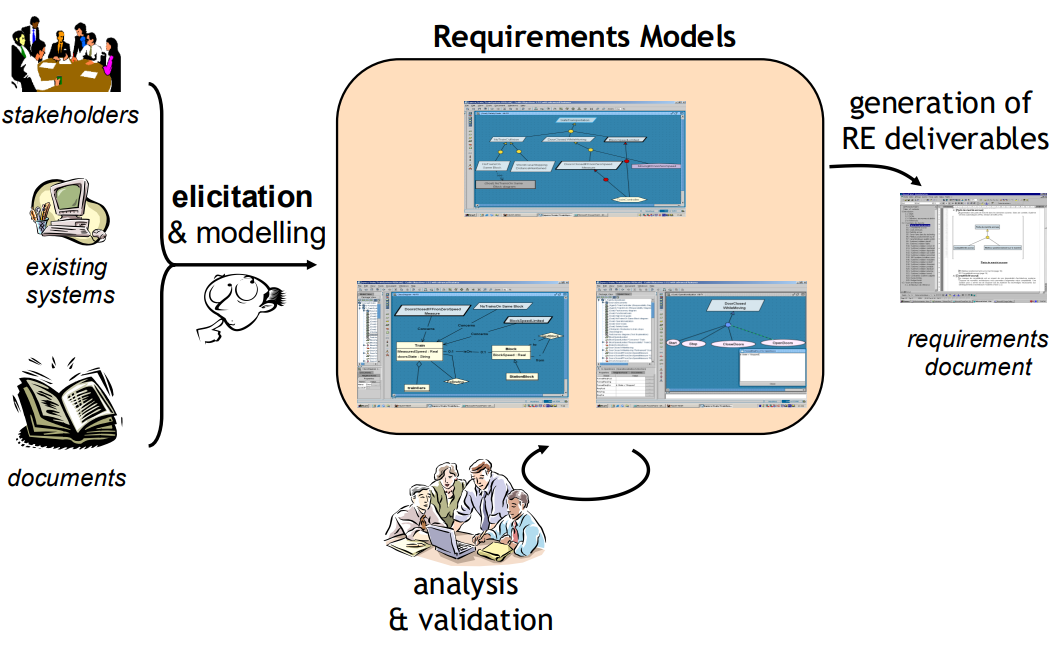
To effectively navigate the complexities of the loan approval process, several strategies are recommended. First, employing diverse approaches such as active listening and observation can provide nuanced insights into the approval process. Engaging in these activities helps to understand various perspectives within the department. Additionally, studying current practices and policies is crucial. This involves examining existing documentation and directly observing the approval process to identify any gaps or inconsistencies.
Stakeholder engagement is another key strategy. Close interaction with stakeholders, both physically and emotionally, fosters an environment of trust. This proximity enables stakeholders to share their viewpoints openly. Maintaining respectful communication is also essential. Polite and respectful dialogue encourages officers to discuss their concerns and insights candidly, facilitating a more comprehensive understanding of the complexities involved.
Scenarios
Scenarios are powerful tools used in system design to provide a narrative description of user interactions with a computer system or application. They help designers focus on how real people experience and interact with a feature or set of features, providing insight into usability and system functionality.
Quote
“A scenario is a narrative description of what people do and experience as they try to make use of computer systems and applications.”
M. Carroll, Scenario-based Design, Wiley, 1995
Scenarios are typically informal, focused, and concrete, describing a single feature or use case of the system under development. These narratives are invaluable for understanding user needs and the system’s context of use.
Warehouse on Fire
In this scenario, we describe a specific incident where a warehouse fire is reported using a system that handles emergency dispatches.
Bob is driving down Main Street in his patrol car and notices smoke coming out of a nearby warehouse. His partner, Alice, who is driving in another patrol car, initiates a fire report using her vehicle’s communication system. She inputs the warehouse’s address, describes its location as being on the northwest corner, and assigns an emergency level based on the severity of the smoke. Considering the area is busy, Alice also requests paramedic support alongside the fire unit.
Once Alice confirms her input, the system sends her report to the central dispatcher. John, the Dispatcher, receives an alert on his workstation, reviews the details, and verifies the accuracy of the report. He acknowledges Alice’s request and allocates a fire unit along with two paramedic teams to the scene. John also sends Alice the estimated time of arrival (ETA) for both the fire and paramedic units.
Shortly after, Alice receives the system’s acknowledgment along with the ETA. She prepares to meet the emergency responders on the scene.
This scenario focuses on a single instance of how a fire incident is reported and managed using the system, involving a few key actions and participants. It does not cover all possible situations where a fire could be reported, nor does it give a full background on the participating actors (Bob, Alice, and John). Instead, the emphasis is on describing a specific feature: the process of reporting and dispatching emergency units using the system.
- Feature Focused: This scenario concentrates on how an emergency fire incident is reported, rather than the complete set of features of the system.
- Concrete: It describes a real-world use case with specific actions, inputs (warehouse address, location, emergency level), and outputs (dispatch confirmation, ETA).
- User Experience: It narrates the experience of users (Alice and John) as they interact with the system to handle the emergency situation.
- Informal: The description is informal and free from technical jargon, making it easily understandable for stakeholders, developers, and designers.
The purpose of the scenario is multifaceted. Firstly, it serves to clarify design requirements. By using this scenario, developers can understand how the system should behave when a fire incident is reported. For instance, the system must support emergency level classification, paramedic requests, and acknowledgment of receipt. Secondly, the scenario focuses on usability. It helps identify the steps involved for users like Alice to easily interact with the system, ensuring that usability remains a central focus of the design. Lastly, the scenario aids in identifying edge cases. While it describes a typical fire report, other scenarios can be created to explore edge cases, such as a system failure, multiple emergency reports at once, or an incomplete report submission.
Heuristics for Finding Scenarios
When designing or reengineering a system, scenarios are an invaluable tool to visualize and capture how users interact with the system. Here are key questions and strategies to help uncover relevant scenarios:
- Which user groups are supported by the system to perform their work? Identify the various roles or personas (e.g., customers, employees, administrators) that the system will support.
- What are the primary tasks that the system needs to perform? Focus on the essential functions of the system that will enable users to accomplish their key tasks, such as submitting a report, processing a payment, or dispatching emergency services.
- What data will the actor create, store, change, remove, or add in the system? Determine what data the users will interact with. For example, in a loan approval system, this might include loan applications, customer details, and approval statuses.
- What external changes does the system need to know about? Explore how the system needs to react to external events, such as updates from external databases, changes in regulations, or incoming real-time data feeds.
- What changes or events will the actor of the system need to be informed about? Consider the notifications, alerts, or updates that the system needs to send to users, such as warnings about system malfunctions, new tasks assigned, or status updates.
While the above questions are helpful for generating initial ideas, it is important to go beyond written questionnaires to gather real-world insights:
- Task Observation: If the system already exists or is being reengineered, observe how users interact with the system. This can reveal inefficiencies, unexpected behaviors, or areas where users struggle.
- Speak to End Users: It’s crucial to speak directly to the end users of the system, not just the software contractor or project lead. End users provide valuable insights into their day-to-day challenges and how they currently work with the system.
- Overcoming Resistance: Resistance from stakeholders or users can occur when asking for access to data, time, or feedback. Address their concerns by emphasizing how improving the system benefits them and offering to accommodate their schedules or constraints.
Once you’ve gathered information through interviews, observations, and documentation analysis, you can begin formulating scenarios. These scenarios can vary in specificity, from very detailed narratives to more abstract representations. Once a set of scenarios is created, you can generalize and structure them for further use.
To ensure clarity and completeness, structure each scenario around the following elements:
- Participating Actors: Identify the roles involved in the scenario. These could be system users, administrators, or external entities.
- Entry Condition: Define the starting point of the scenario. What is the state of the system or what event triggers the scenario? For example, a user logs in or a sensor detects smoke.
- Flow of Events: Describe the sequence of actions or interactions that take place between the actors and the system. This should be a step-by-step description of how the user interacts with the system to complete a task.
- Exit Condition: Specify the end state after the scenario is completed. What outcome or result is expected? For instance, a loan is either approved or rejected.
- Exceptions: Describe any potential deviations from the main flow of events. This might include error conditions, alternative paths, or failure scenarios. For example, the system might crash, or the user might enter incorrect information.
- Special Requirements (Constraints, Nonfunctional Requirements): Note any constraints or nonfunctional requirements that are important for the scenario. These might include performance requirements, security considerations, or system uptime.
Example
Description Use case name Report Emergency Participating Actors Field Officer, Dispatcher Entry Condition An emergency can be reported at all times Flow of Events 1. The Field Officer activates the “Report Emergency” function of her terminal.
2. FRIEND (the system to be developed) responds by presenting a form to the officer.
3. The Field Officer fills the form, selecting the emergency level, type, location, and providing a brief description of the situation.
4. The Field Officer describes possible responses to the emergency situation.
5. Once the form is completed, the Field Officer submits the form.
6. The Dispatcher is notified.
7. The Dispatcher reviews the submitted information and allocates resources by invoking the AllocateResources use case.
8. The Dispatcher selects a response and acknowledges the emergency report.Exit Condition The Field Officer has received the acknowledgment and the selected response. Exceptions The Field Officer is notified immediately if the connection between her terminal and the control room is lost.
The Dispatcher is notified immediately if the connection between any logged-in Field Officer and the control room is lost.Special Requirements The Field Officer’s report is acknowledged within 30 seconds.
The selected response arrives no later than 30 seconds after it is sent by the Dispatcher.
Poor use case example
- Use case name: Accident (not an action, i.e., a verb)
- Partecipating actors: Field Officer (Dispatcher actor is missing here, but mentioned in the next section)
- Flow of events:
- The Field Officer reports the accident
- An ambulance is dispatched (by whom?)
- The Dispatcher is notified when the ambulance arrives on site (who notifies the Dispatcher?)
Tips for Defining Proper Use Cases
Use cases are essential tools for capturing and communicating the functionality of a system. When properly defined, they clarify how users interact with the system and how the system responds. Here are key tips for defining effective use cases:
Tip
- Name Use Cases with Verbs: Use verbs to describe what the user is trying to accomplish. For example, “Submit Application,” “Approve Loan,” or “Generate Report.” This ensures the use case is goal-oriented and clearly communicates the user’s objective.
- Name Actors with Nouns: Name actors using nouns that identify their role in the system. For instance, “Customer,” “Administrator,” “Dispatcher,” or “Loan Officer.” Actors should represent external entities that interact with the system.
- Use Active Voice in Use Case Steps: Write each step of the use case using active voice. This keeps the description clear and direct. For example, instead of “The form is submitted by the user,” write “The user submits the form.”
- Ensure Clear Causal Relationships Between Steps: Make sure each step logically follows the previous one. Clearly define the cause-and-effect relationships in the use case flow. For example, if a user submits a form, the system should validate the input before proceeding to the next step.
- Define One Use Case Per User Transaction: Each use case should represent a complete transaction or goal for the user. For instance, “Make a Payment” or “Request a Refund” should each be distinct use cases. Avoid combining multiple unrelated transactions in a single use case.
- Separate the Description of Exceptions: List exceptions separately from the main flow to keep the primary scenario simple and easy to follow. Exception handling can be detailed at the end, such as when incorrect data is entered or a system failure occurs.
- Keep Use Cases Small: Limit use cases to no more than two or three pages to maintain clarity. If the use case becomes too large, consider splitting it into smaller, more manageable cases. This makes the use case easier to read and understand.
- Distinguish Between Actor and System Actions: Clearly differentiate the steps performed by the actor (the user or external entity) and those performed by the system. For example:
- Actor Action: “The user submits the form.”
- System Action: “The system validates the form and confirms submission.”
| Description | |
|---|---|
| Actors | - Dispatcher: the Dispatcher allocates a resource to an Emergency if the resource is available (of course, he also updates and removes Emergency Incidents, Actions, and Requests in the system) - Resource Allocator: The Resource Allocator is responsible for allocating resources in case they are scarce - Resources: The Resources that are allocated to the Emergency |
| Use case name | AllocateResources |
| Participating Actors | Dispatcher (John in the Scenario) Resource Allocator Resources |
| Entry Condition | An Incident has been opened |
| Flow of Events | 1. The Dispatcher selects the types and number of Resources that are needed for the incident 2. FRIEND replies with a list of Resources that fulfill the Dispatcher’s request 3. The Dispatcher selects the Resources from the list and allocates them for the incident 4. FRIEND automatically notifies the Resources 5. The Resources send a confirmation |
| Exit Condition | The use case terminates when the resource is committed. The selected Resource is now unavailable to any other Emergences or Resource Requests |
| Exceptions | If the list of Resources provided by FRIEND is insufficient to fulfill the needs of the emergency, the Dispatcher informs the Resource Allocator The Resource Allocator analyzes the situation and selects new Resources by decommitting them from their previous work FRIEND automatically notifies the Resources and the Dispatcher The Resources send a confirmation |